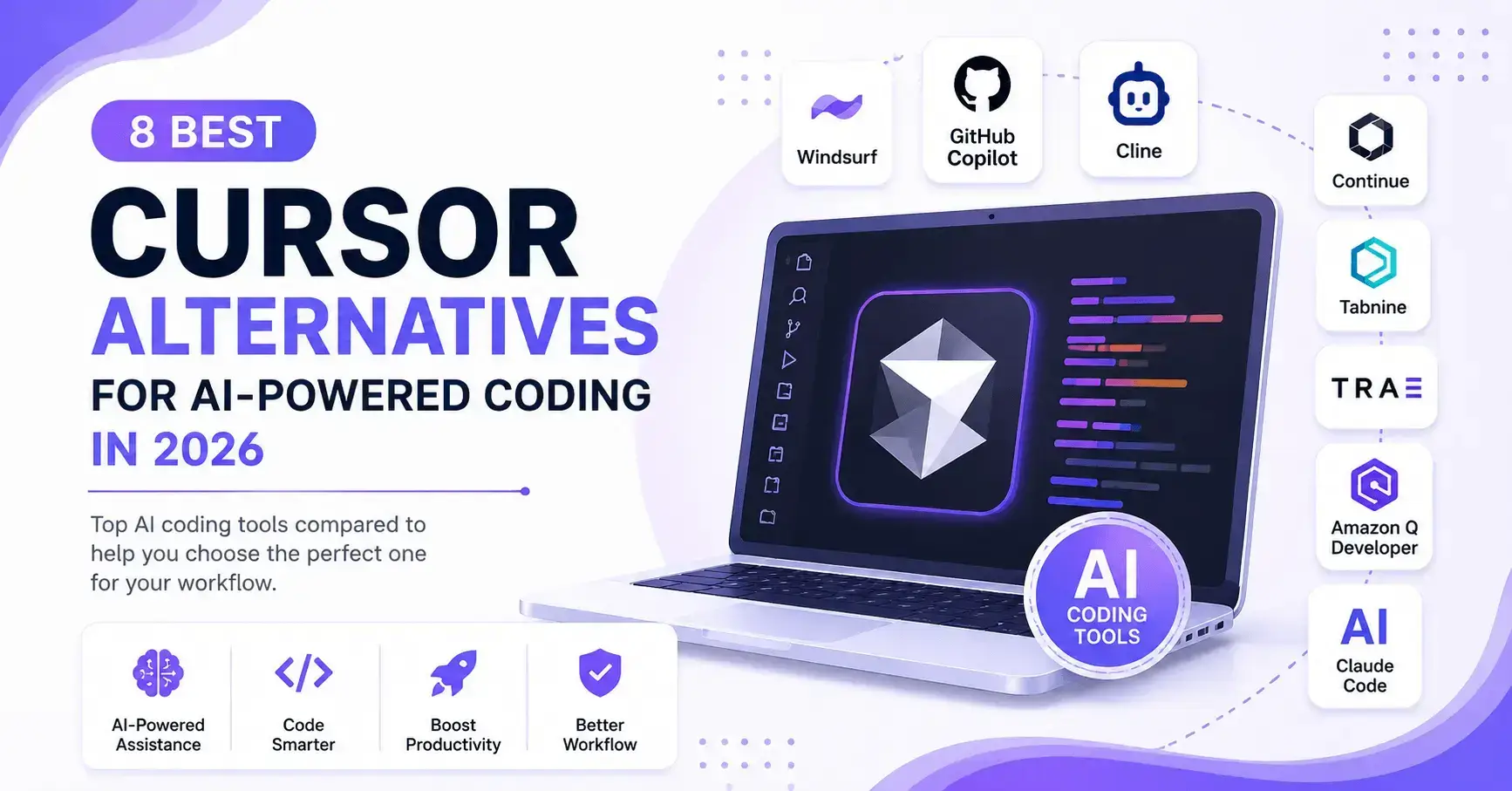
8 Best Cursor Alternatives for AI Powered Coding in 2026
Find the best Cursor alternative based on real testing, coding benchmarks, pricing, AI capabilities, and developer workflows. Whether you’re looking for a free open source AI code editor, a powerful AI coding assistant, or an enterprise ready AI IDE, this guide compares the top options to help you choose the right tool for your needs.
Quick Recommendation: Choose Claude Code for overall performance, Continue.dev for open source flexibility, GitHub Copilot for enterprise development, and Cline if you’re looking for a powerful free Cursor alternative.
⚒️ Comparison of the Best Claude Code Alternatives
| Tool | Best For | Free Plan | Open Source | AI Models | BYOK | Local Models | MCP | Starting Price | Overall Rating |
|---|---|---|---|---|---|---|---|---|---|
| Claude Code | Overall Performance | ❌ | ❌ | Claude Models | ❌ | ❌ | ✅ | Usage Based | ⭐⭐⭐⭐⭐ |
| GitHub Copilot | Enterprise Teams | Limited | ❌ | GPT, Claude | ❌ | ❌ | Limited | Paid | ⭐⭐⭐⭐☆ |
| Devin Desktop (formerly Windsurf) | Autonomous AI Development | Limited | ❌ | GPT, Claude, Gemini | ❌ | ❌ | ✅ | Paid | ⭐⭐⭐⭐☆ |
| Continue.dev | Open Source & BYOK | ✅ | ✅ | GPT, Claude, Gemini, DeepSeek, Local LLMs | ✅ | ✅ | ✅ | Free | ⭐⭐⭐⭐⭐ |
| Cline | Free VS Code AI Assistant | ✅ | ✅ | GPT, Claude, Gemini, DeepSeek, Local LLMs | ✅ | ✅ | ✅ | Free (API Costs Apply) | ⭐⭐⭐⭐☆ |
| OpenAI Codex | OpenAI Ecosystem | Limited | ❌ | OpenAI Models | ❌ | ❌ | Limited | Usage Based | ⭐⭐⭐⭐☆ |
| Zed | High Performance Editor | ✅ | ✅ | Multiple Providers | ✅ | Partial | Limited | Free | ⭐⭐⭐⭐☆ |
| Replit | Browser Based Development | ✅ | ❌ | Multiple Providers | ❌ | ❌ | Limited | Paid | ⭐⭐⭐⭐☆ |
| Lovable | Prompt to App Development | Limited | ❌ | GPT Models | ❌ | ❌ | ❌ | Paid | ⭐⭐⭐☆☆ |
| Bolt.new | Full Stack App Generation | Limited | ❌ | GPT Models | ❌ | ❌ | ❌ | Paid | ⭐⭐⭐☆☆ |
| Void | Privacy Focused Development | ✅ | ✅ | Multiple Providers | ✅ | ✅ | Partial | Free | ⭐⭐⭐⭐☆ |
| Aider | Terminal First Coding | ✅ | ✅ | GPT, Claude, Gemini, DeepSeek | ✅ | ✅ | ❌ | Free (API Costs Apply) | ⭐⭐⭐⭐☆ |
| Kilo Code | Open Source AI Agent | ✅ | ✅ | Multiple Providers | ✅ | ✅ | ✅ | Free | ⭐⭐⭐⭐☆ |
| Trae AI | Budget Friendly AI IDE | ✅ | ❌ | Multiple Providers | Limited | ❌ | Limited | Free | ⭐⭐⭐☆☆ |
Share:
In Depth Reviews of the Best Cursor Alternatives
Every developer has different priorities. Some need an AI coding assistant that excels at large codebases, while others value open source flexibility, enterprise security, or affordable pricing. To help you make the right decision, we evaluated each Cursor alternative based on AI coding quality, real world usability, supported AI models, IDE compatibility, developer experience, and overall value.
Let’s start with the tool that consistently delivered the strongest overall performance during our evaluation.
Claude Code is Best Overall Cursor Alternative
Overview
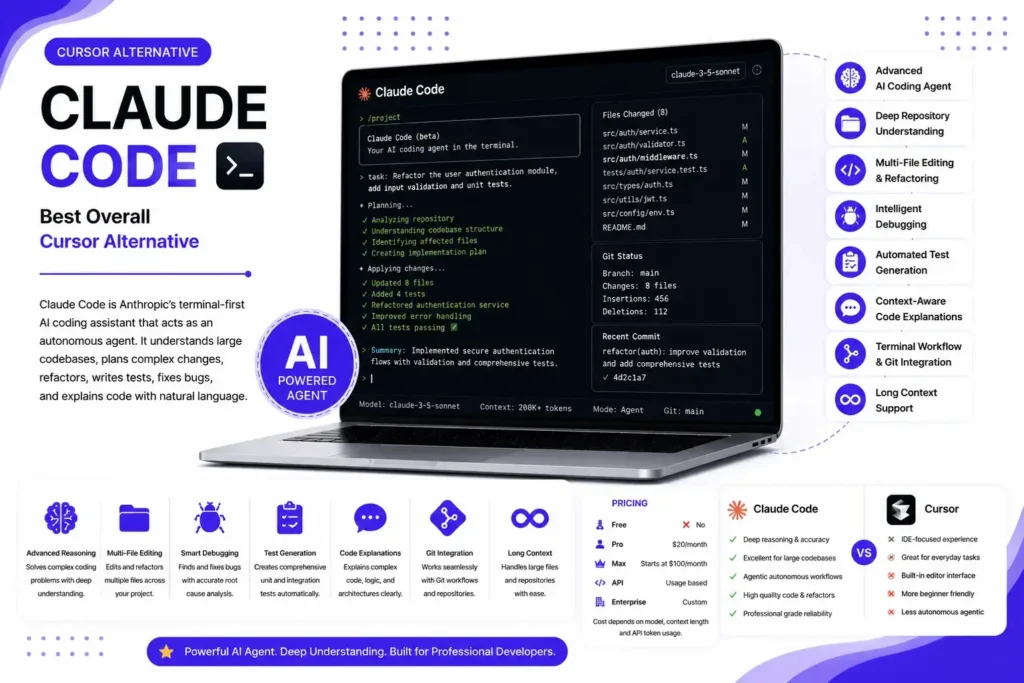
Claude Code is Anthropic’s terminal first AI coding assistant built for professional software development. Unlike traditional AI code completion tools, it acts as an autonomous coding agent that can understand large repositories, plan complex changes, refactor multiple files, generate tests, fix bugs, and explain unfamiliar code using natural language.
Its biggest strength is reasoning. Claude Code performs exceptionally well on complex engineering tasks where context, architecture, and code quality matter more than simple autocomplete. It works particularly well with large monorepos and production applications, making it a popular choice among experienced developers and engineering teams. Although it doesn’t provide a standalone IDE like Cursor, its terminal based workflow integrates smoothly with existing development environments and Git workflows. For developers who prioritize accuracy, deep codebase understanding, and autonomous problem solving, Claude Code has become one of the strongest Cursor alternatives available in 2026.
Best For
- Professional software engineers
- Large codebases and monorepos
- AI assisted refactoring
- Backend and full stack development
- Complex debugging and code reviews
- Agentic coding workflows
Key Features
- Advanced AI coding agent
- Deep repository understanding
- Multi file editing and refactoring
- Intelligent debugging
- Automated test generation
- Context aware code explanations
- Terminal based workflow
- Git integration
- Long context support
Pricing
| Plan | Price |
|---|---|
| Free | ❌ |
| Pro | $20/month |
| Max | Starts at $100/month |
| API | Usage based |
| Enterprise | Custom |
Note: Your total cost depends on the Claude model used, context length, and API token consumption.
Pros
- Industry leading reasoning for complex coding tasks
- Excellent multi file code editing and repository understanding
- Performs exceptionally well on large production codebases
- Generates clean, maintainable, and well structured code
- Strong debugging, refactoring, and test generation capabilities
- Supports autonomous agentic coding workflows
- Integrates naturally into terminal based developer workflows
Cons
- No free plan for unlimited usage
- Usage based pricing can become expensive for heavy developers
- No standalone graphical IDE
- Limited customization compared to open source alternatives like Continue.dev or Cline
- Better suited for experienced developers than beginners
What Users Say
Developers consistently rate Claude Code among the best AI coding assistants for code quality, reasoning, and large scale software engineering. It is especially praised for handling complex refactoring, debugging, and architecture level tasks with minimal prompting. The most common criticism is its usage based pricing, which can become costly during long development sessions, along with its terminal first workflow that may require an adjustment for developers who prefer a traditional IDE.
GitHub Copilot is Best for Enterprise Development Teams
Overview
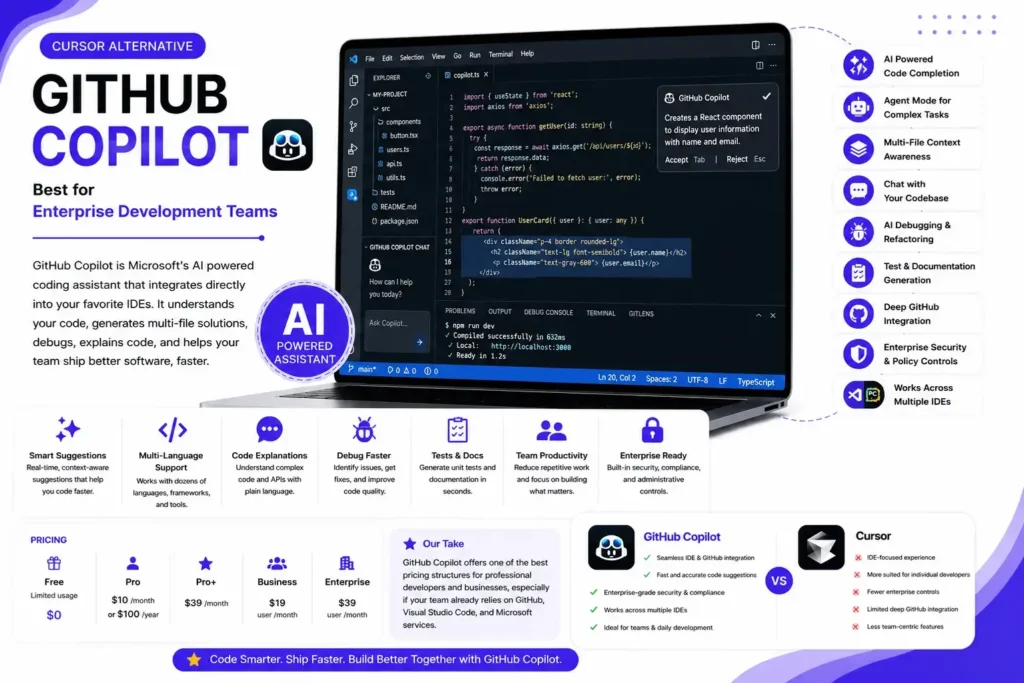
GitHub Copilot is Microsoft’s AI powered coding assistant developed in collaboration with GitHub and OpenAI. Unlike standalone AI IDEs, Copilot integrates directly into popular development environments such as Visual Studio Code, Visual Studio, JetBrains IntelliJ IDEA, PyCharm, and Neovim, allowing developers to enhance their existing workflow without switching editors.
Over the past few years, GitHub Copilot has evolved far beyond simple code completion. It now offers agentic coding capabilities, intelligent code generation, multi file context awareness, chat based code assistance, debugging, code explanations, test generation, and repository level assistance. For teams already using GitHub, Azure DevOps, and the Microsoft ecosystem, Copilot delivers one of the most seamless AI assisted development experiences available. While it may not provide the same level of autonomous reasoning as Claude Code on highly complex engineering tasks, its ecosystem integration, enterprise features, and ease of use make it one of the strongest Cursor alternatives in 2026.
Best For
- Enterprise development teams
- Visual Studio Code users
- GitHub ecosystem users
- Daily AI assisted coding
- Team collaboration
- Organizations with enterprise security requirements
Key Features
- AI powered code completion
- Agent mode for complex coding tasks
- Multi file context awareness
- Chat with your codebase
- AI debugging and refactoring
- Test and documentation generation
- GitHub integration
- Support for multiple IDEs
- Enterprise security and policy controls
Pricing
GitHub Copilot offers both individual and business focused subscription plans.
| Plan | Price |
|---|---|
| Free | Available (limited usage) |
| Pro | $10/month or $100/year |
| Pro+ | $39/month |
| Business | $19/user/month |
| Enterprise | $39/user/month |
Our Take: GitHub Copilot offers one of the best pricing structures for professional developers and businesses, especially if your team already relies on GitHub, Visual Studio Code, and Microsoft services.
Pros
- Excellent integration with Visual Studio Code, Visual Studio, and JetBrains IDEs
- Fast and highly accurate inline code suggestions
- Strong support for AI powered code completion, debugging, and refactoring
- Mature enterprise security, compliance, and administrative controls
- Works across a wide range of programming languages and frameworks
- Frequent updates with access to leading AI models
- Ideal for collaborative software development teams
Cons
- Limited BYOK support compared to open source alternatives
- Local LLM support is not available
- Some advanced AI capabilities require higher tier subscriptions
- Less flexible than tools like Continue.dev or Cline for highly customized workflows
- Autonomous coding capabilities are improving but still trail specialized AI agents on complex engineering tasks
What Users Say
Developers consistently praise GitHub Copilot for its reliable code completion, seamless IDE integration, and ability to speed up everyday development tasks. It is especially popular among enterprise teams because of its strong security features, GitHub integration, and collaborative workflows. Some advanced users, however, prefer Claude Code or open source alternatives like Continue.dev and Cline for deeper repository understanding, greater customization, and more autonomous agentic coding capabilities.
Devin Desktop (formerly Windsurf) is Best AI Software Engineering Agent
Overview
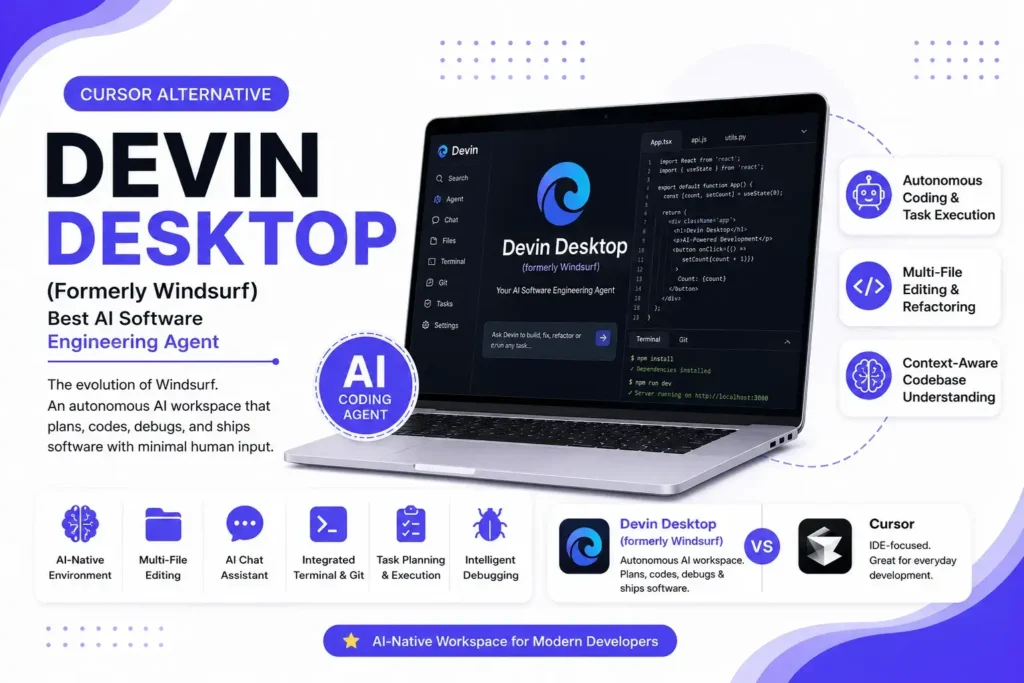
Devin Desktop (formerly Windsurf) is the evolution of the AI powered IDE that was once considered Cursor’s closest competitor. Following its transition into the Devin ecosystem, the platform has shifted from being primarily an AI code editor to a more autonomous software engineering workspace. Instead of focusing only on code completion and chat, Devin Desktop is designed to plan tasks, modify multiple files, debug applications, run commands, and complete development workflows with minimal human intervention.
For developers who enjoyed Windsurf’s intuitive interface and AI first experience, Devin Desktop continues to offer a familiar environment while introducing more advanced agentic capabilities. It supports modern software development workflows, understands large repositories, and helps automate repetitive engineering tasks. Although the product has evolved beyond its original identity, it remains one of the closest alternatives to Cursor for developers looking for an AI native coding environment rather than a traditional IDE with AI plugins.
Best For
- Developers looking for a Cursor like experience
- Autonomous AI assisted software development
- Full stack application development
- Multi file code editing
- Startups and small engineering teams
- Developers who prefer an AI first IDE
Key Features
- AI native development environment
- Autonomous coding agent
- Multi file editing and refactoring
- Context aware codebase understanding
- Integrated AI chat assistant
- Intelligent debugging
- Terminal and Git integration
- Task planning and execution
- Support for multiple programming languages
Pricing
Devin Desktop offers subscription based pricing with different usage limits depending on your plan.
| Plan | Price |
|---|---|
| Free | Available (limited access) |
| Pro | Starts at $20/month |
| Team | Custom |
| Enterprise | Custom |
Our Take: Devin Desktop offers competitive pricing for developers who want an AI first coding experience, though organizations should compare usage limits and included features before choosing a plan.
Pros
- One of the closest experiences to Cursor’s workflow
- Strong autonomous coding and task execution capabilities
- Excellent multi file editing and repository understanding
- Clean, modern, and developer friendly interface
- Effective for rapid prototyping and feature implementation
- Continues to evolve with advanced AI engineering capabilities
- Suitable for both solo developers and small teams
Cons
- Product transition from Windsurf may confuse existing users
- Some features are still evolving after the rebranding
- Smaller extension ecosystem than Visual Studio Code
- Limited flexibility compared to fully open source alternatives
- Advanced capabilities may require higher tier plans
What Users Say
Developers appreciate Devin Desktop for preserving much of Windsurf’s intuitive AI first workflow while adding more autonomous engineering capabilities. Many users consider it one of the closest replacements for Cursor thanks to its familiar interface and strong multi file editing experience. However, some long time Windsurf users note that the transition to the Devin platform introduced changes in branding, pricing, and workflow, creating a learning curve during the migration.
Continue.dev is Best Open Source Cursor Alternative
Overview
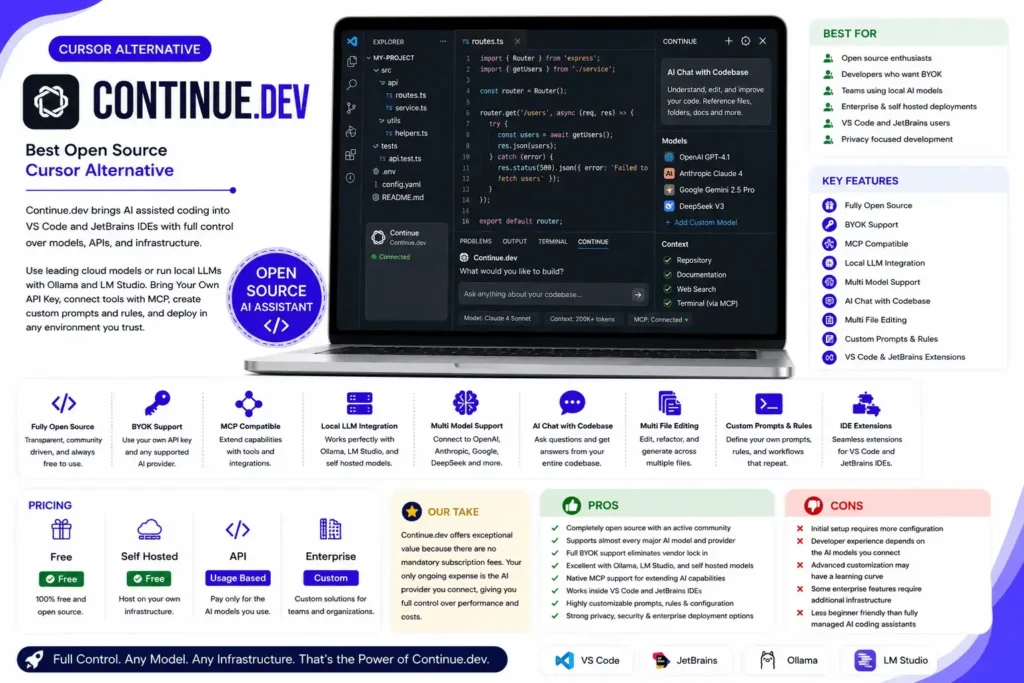
Continue.dev is one of the most powerful open source Cursor alternatives available in 2026. Instead of locking developers into a specific AI model or IDE, it brings AI assisted coding directly into Visual Studio Code and JetBrains IDEs while giving you complete control over the models, APIs, and infrastructure you use.
One of Continue.dev’s biggest advantages is its flexibility. It supports commercial AI models like OpenAI GPT-4.1, Anthropic Claude 4, Google Gemini 2.5 Pro, and DeepSeek V3, while also working seamlessly with local models through Ollama and LM Studio. It supports Bring Your Own API Key (BYOK), Model Context Protocol (MCP), custom prompts, reusable rules, and enterprise deployments. Whether you’re an individual developer seeking complete customization or an organization with strict privacy and compliance requirements, Continue.dev provides one of the most adaptable AI coding experiences without forcing you into a proprietary ecosystem.
Best For
- Open source enthusiasts
- Developers who want BYOK
- Teams using local AI models
- Enterprise and self hosted deployments
- Visual Studio Code and JetBrains users
- Privacy focused development
Key Features
- Fully open source
- BYOK support
- MCP compatible
- Local LLM integration
- Multi model support
- AI chat with codebase
- Multi file editing
- Custom prompts and rules
- VS Code and JetBrains extensions
Pricing
Continue.dev is completely open source, making it one of the most cost effective Cursor alternatives.
| Plan | Price |
|---|---|
| Free | ✅ Free |
| Self Hosted | ✅ Free |
| API | Usage based (pay only for the AI models you use) |
| Enterprise | Custom |
Our Take: Continue.dev offers exceptional value because there are no mandatory subscription fees. Your only ongoing expense is the AI provider you connect, giving you full control over performance and costs.
Pros
- Completely open source with an active developer community
- Supports almost every major AI model and provider
- Full BYOK support eliminates vendor lock in
- Excellent compatibility with Ollama, LM Studio, and self hosted models
- Native MCP support for extending AI capabilities
- Works inside Visual Studio Code and JetBrains IDEs
- Highly customizable through prompts, rules, and configuration files
- Strong privacy, security, and enterprise deployment options
Cons
- Initial setup requires more configuration than hosted AI IDEs
- Developer experience depends on the AI models you connect
- Advanced customization may have a learning curve
- Some enterprise features require additional infrastructure
- Less beginner friendly than fully managed AI coding assistants
What Users Say
Continue.dev is widely regarded as the best open source Cursor alternative for developers who value flexibility, privacy, and long term control. Users frequently praise its support for multiple AI providers, local LLMs, BYOK, and seamless integration with existing IDEs. The most common criticism is that it requires more initial configuration than managed platforms like GitHub Copilot or Claude Code, but many developers consider that trade off worthwhile for the freedom and customization it provides.
Cline is Best AI Coding Assistant for VS Code
Overview
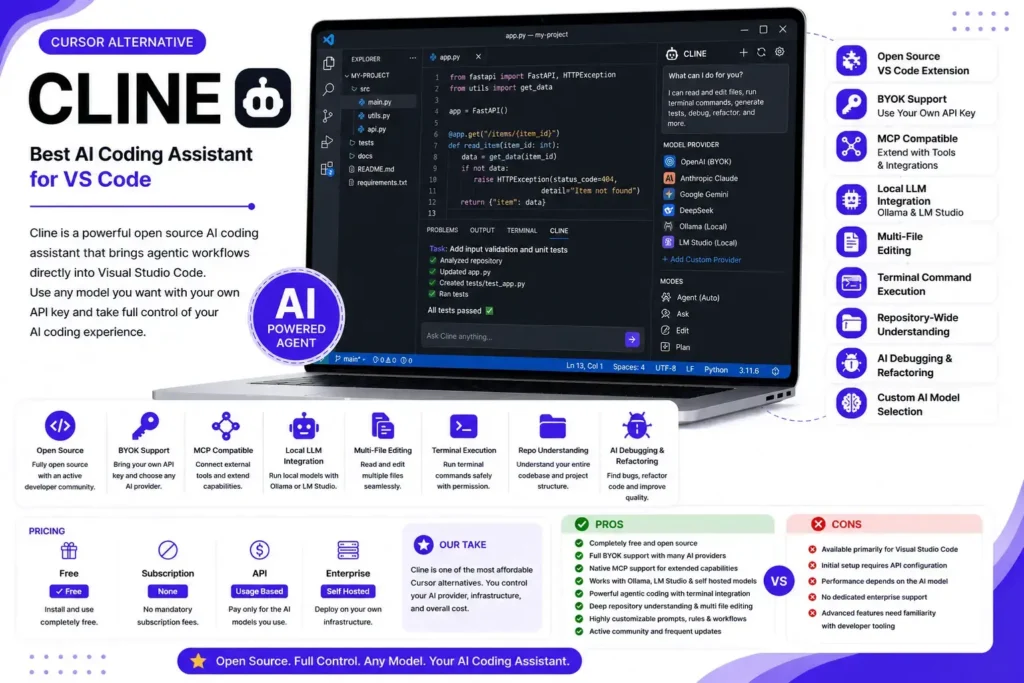
Cline is one of the most popular open source AI coding assistants for Visual Studio Code, offering a highly customizable and developer centric alternative to Cursor. Rather than relying on a proprietary AI model or subscription, Cline lets you connect your preferred AI provider using your own API key, giving you complete control over cost, performance, and model selection.
What sets Cline apart is its powerful agentic workflow. It can read and edit multiple files, execute terminal commands with permission, analyze entire repositories, generate tests, debug applications, and automate repetitive development tasks. It also supports Model Context Protocol (MCP), making it easy to extend its capabilities through external tools and services. Combined with support for local AI models via Ollama and LM Studio, Cline is an excellent choice for developers who prioritize flexibility, privacy, and full control over their AI coding environment.
Best For
- Visual Studio Code users
- Developers who prefer BYOK
- Open source enthusiasts
- Local LLM workflows
- AI assisted software development
- Privacy focused developers
Key Features
- Open source VS Code extension
- BYOK support
- MCP compatible
- Local LLM integration
- Multi file editing
- Terminal command execution
- Repository wide code understanding
- AI debugging and refactoring
- Custom AI model selection
Pricing
Cline is completely free to install and use. Your only cost is the AI model you connect through your own API key.
| Plan | Price |
|---|---|
| Free | ✅ Free |
| Subscription | None |
| API | Usage based (pay only for the AI provider you use) |
| Enterprise | Self hosted |
Our Take: Cline is one of the most affordable Cursor alternatives because there are no mandatory subscription fees. You control both your AI provider and your overall usage costs.
Pros
- Completely free and open source
- Full BYOK support with multiple AI providers
- Native MCP support for extending AI capabilities
- Excellent compatibility with Ollama, LM Studio, and self hosted models
- Powerful agentic coding with terminal integration
- Deep repository understanding and multi file editing
- Highly customizable configuration and workflows
- Active open source community with frequent updates
Cons
- Available primarily for Visual Studio Code
- Initial setup requires API configuration
- Performance depends on the AI model you choose
- No dedicated enterprise support like commercial platforms
- Advanced features may require familiarity with developer tooling
What Users Say
Cline is frequently recommended by experienced developers looking for a free, open source Cursor alternative without vendor lock in. Users appreciate its flexibility, MCP support, local AI model compatibility, and ability to work with virtually any leading AI model. While beginners may find the initial setup more technical than managed solutions like GitHub Copilot, many developers consider Cline one of the best choices for building a fully customizable AI powered development environment.
OpenAI Codex is Best Cloud Based AI Coding Assistant
Overview
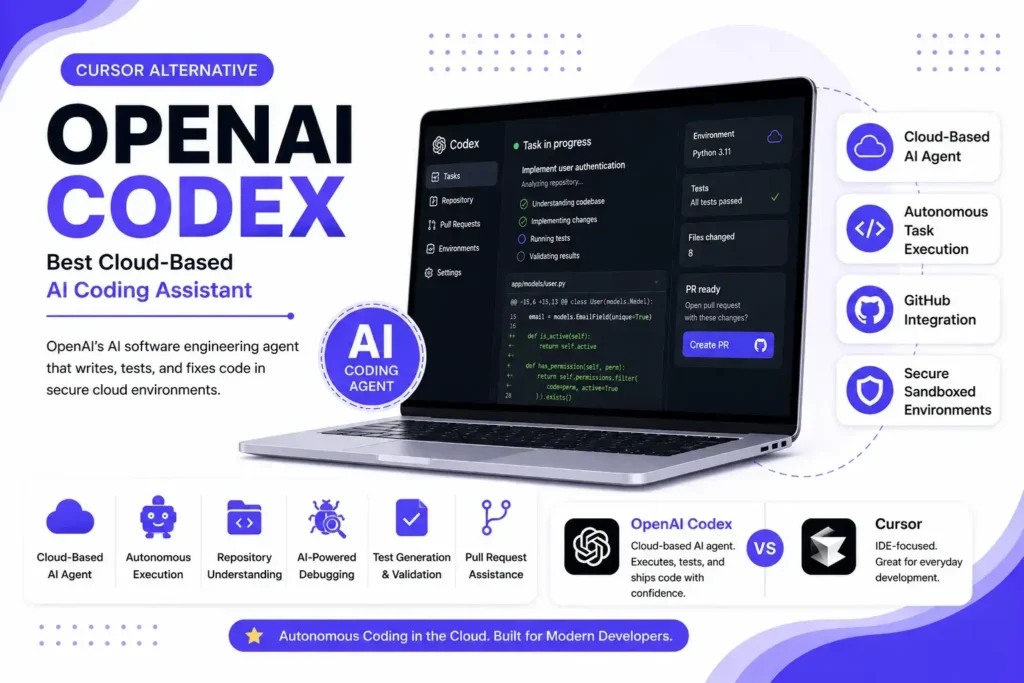
OpenAI Codex is OpenAI’s AI powered software engineering agent designed to help developers write, understand, test, and maintain code more efficiently. Unlike traditional AI code completion tools, Codex focuses on executing development tasks in isolated cloud environments, allowing it to analyze repositories, implement features, fix bugs, generate tests, and validate changes before presenting the results.
Built on OpenAI’s latest coding models, Codex is particularly well suited for developers already using the OpenAI ecosystem. It integrates naturally with GitHub repositories and supports complex software engineering workflows that go beyond simple autocomplete. While it isn’t a full replacement for a desktop AI IDE like Cursor, its autonomous task execution and cloud based development environment make it one of the most capable Cursor alternatives for teams looking to automate repetitive engineering work.
Best For
- OpenAI ecosystem users
- Cloud based software development
- Autonomous coding tasks
- GitHub repositories
- Full stack developers
- Engineering teams automating development workflows
Key Features
- Cloud based AI coding agent
- Autonomous task execution
- Repository level code understanding
- AI powered debugging
- Test generation and validation
- Pull request assistance
- GitHub integration
- Code explanation and documentation
- Secure sandboxed execution environment
Pricing
OpenAI Codex is available through ChatGPT plans and API usage, depending on how you access it.
| Plan | Price |
|---|---|
| Free | Available (limited access) |
| Plus | $20/month |
| Pro | $200/month |
| API | Usage based (selected OpenAI coding model) |
| Enterprise | Custom |
Our Take: OpenAI Codex offers excellent value for developers already invested in the OpenAI ecosystem, especially those who want cloud based autonomous coding without managing their own infrastructure.
Pros
- Excellent code generation and reasoning capabilities
- Autonomous execution in secure cloud sandboxes
- Strong integration with GitHub workflows
- Effective for debugging, testing, and code reviews
- Reduces manual development for repetitive tasks
- Backed by OpenAI’s latest coding models
- Suitable for both individual developers and engineering teams
Cons
- Less flexible than open source alternatives like Continue.dev or Cline
- Limited support for local AI models
- No BYOK flexibility for using third party models
- Requires an internet connection and cloud execution
- Advanced capabilities may require paid ChatGPT or API usage
What Users Say
Developers appreciate OpenAI Codex for its strong coding accuracy, reliable reasoning, and ability to complete real development tasks with minimal supervision. Many users find it especially useful for implementing features, fixing bugs, generating tests, and working directly with GitHub repositories. The most common limitations mentioned are its cloud only workflow, limited customization compared to open source alternatives, and the cost of higher tier plans for heavy professional use.
Zed is Best High Performance AI Code Editor
Overview
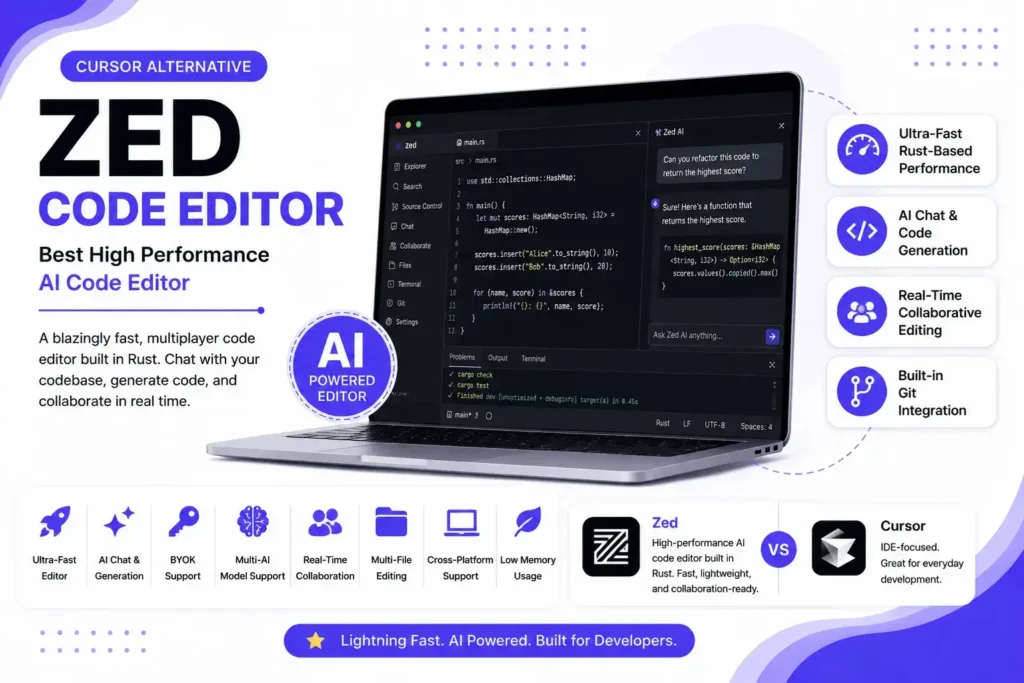
Zed is a high performance, multiplayer code editor built from the ground up with speed and responsiveness in mind. Unlike Cursor, which is a fork of Visual Studio Code, Zed is an independent editor written in Rust, giving it exceptionally fast startup times, low memory usage, and a smooth coding experience even on large projects.
Over the past year, Zed has evolved beyond being just a lightweight editor by adding powerful AI capabilities. Developers can chat with their codebase, generate code, refactor files, explain complex logic, and connect to multiple AI providers. It also supports Bring Your Own API Key (BYOK), allowing users to choose models such as OpenAI GPT-4.1, Anthropic Claude, Google Gemini, and other compatible providers. While its AI ecosystem isn’t as mature as some dedicated AI IDEs, Zed’s combination of speed, flexibility, and modern collaboration features makes it one of the most compelling Cursor alternatives for developers who value performance.
Best For
- Developers who prioritize speed and performance
- Rust developers
- Large software projects
- AI assisted coding with BYOK
- Developers seeking a lightweight editor
- Teams that value real time collaboration
Key Features
- Ultra fast Rust based editor
- AI chat and code generation
- BYOK support
- Multi AI model compatibility
- Real time collaborative editing
- Multi file editing
- Built in Git integration
- Cross platform support
- Low memory consumption
Pricing
Zed offers generous free functionality with optional paid AI features.
| Plan | Price |
|---|---|
| Free | ✅ Available |
| Pro | $20/month |
| BYOK | Supported |
| Enterprise | Custom |
Our Take: Zed provides excellent value for developers who want a fast, modern code editor with optional AI features. Its support for BYOK also gives users greater flexibility over model selection and long term costs.
Pros
- Extremely fast and lightweight compared to traditional IDEs
- Built from scratch instead of relying on a VS Code fork
- Excellent developer experience with minimal resource usage
- Supports multiple leading AI models through BYOK
- Strong collaboration capabilities for team development
- Modern interface with responsive editing performance
- Active development with frequent feature updates
Cons
- Smaller extension ecosystem than Visual Studio Code
- AI capabilities are still evolving compared to dedicated AI IDEs
- Limited enterprise management features
- Some advanced developer tools available in VS Code require alternatives
- Less familiar workflow for developers deeply invested in the VS Code ecosystem
What Users Say
Developers consistently praise Zed for its outstanding speed, clean interface, and responsive editing experience. Many users switch to Zed because it feels significantly lighter than traditional IDEs while still offering modern AI assisted coding features. The most common criticism is its smaller extension marketplace and developing AI ecosystem, but many developers believe its performance and rapid development make it one of the most promising AI code editors available in 2026.
Replit is Best Browser Based AI IDE
Overview
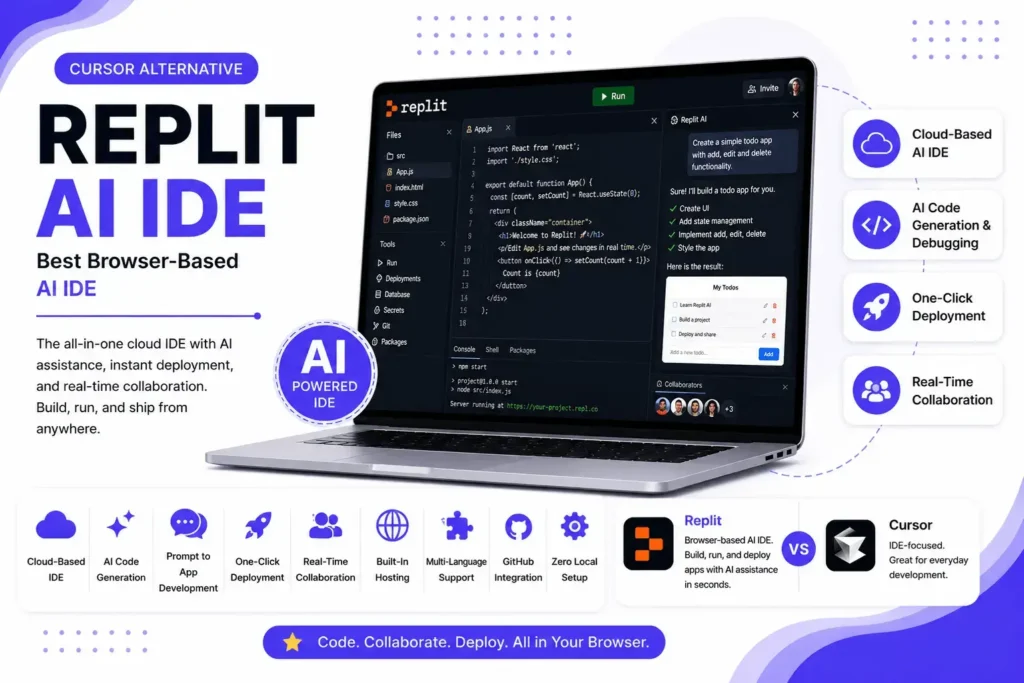
Replit is a cloud based AI development platform that combines an online IDE, AI coding assistant, instant deployment, and collaborative workspace into a single environment. Unlike Cursor, which is primarily designed for desktop development, Replit allows developers to write, run, debug, and deploy applications directly from a web browser without installing local development tools.
Its AI assistant has evolved from simple code completion into an intelligent coding partner capable of generating code, explaining logic, fixing bugs, refactoring projects, and helping developers build complete applications using natural language prompts. With support for dozens of programming languages, one click deployments, and real time collaboration, Replit is especially attractive to beginners, students, indie hackers, startups, and developers who want to move from idea to working application as quickly as possible. Although it offers less customization than open source alternatives like Continue.dev or Cline, its simplicity and all in one experience make it one of the easiest Cursor alternatives to get started with.
Best For
- Beginners learning to code
- Browser based development
- Rapid prototyping
- Startups and indie developers
- Team collaboration
- Full stack web development
Key Features
- Cloud based AI IDE
- AI code generation and debugging
- Prompt to application development
- One click deployment
- Real time collaboration
- Built in hosting
- Multi language support
- GitHub integration
- Zero local setup required
Pricing
Replit offers both free and paid plans depending on your development needs.
| Plan | Price |
|---|---|
| Free | ✅ Available (limited AI usage & compute) |
| Core | $25/month |
| Teams | Custom |
| Enterprise | Custom |
Our Take: Replit offers excellent value for developers who want an all in one cloud development environment. The free plan is ideal for learning and small projects, while the Core plan unlocks more powerful AI features and higher compute limits.
Pros
- No installation or local setup required
- Excellent AI powered development experience for beginners
- Fast application prototyping and deployment
- Built in hosting and collaboration tools
- Supports a wide range of programming languages and frameworks
- Accessible from any device with a web browser
- Strong educational and startup ecosystem
Cons
- Less customizable than desktop AI IDEs
- Limited support for local AI models and BYOK workflows
- Performance depends on internet connectivity
- Free plan has usage and resource limitations
- Better suited for cloud based workflows than large enterprise projects
What Users Say
Developers appreciate Replit for making software development accessible from anywhere without complex setup. It is frequently recommended for learning programming, building MVPs, hackathons, and rapid application development. Users especially like its AI assistance, collaborative features, and built in deployment. The most common criticism is that experienced developers working on large production codebases often prefer desktop based AI IDEs like Claude Code, GitHub Copilot, or Continue.dev for greater flexibility and advanced workflow customization.
Lovable is Best AI App Builder for Non Developers
Overview
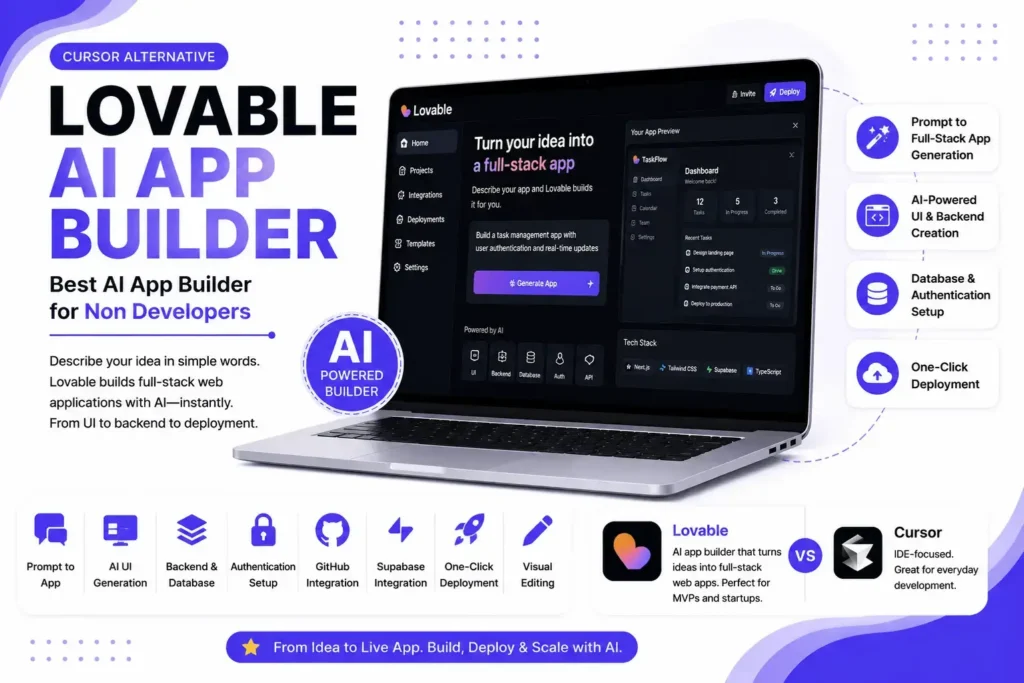
Lovable is an AI powered application builder that transforms natural language prompts into full stack web applications. Unlike traditional AI coding assistants such as Cursor, GitHub Copilot, or Claude Code, Lovable focuses on prompt to app development rather than manual coding. It enables developers, founders, product managers, and even non technical users to generate production ready applications with minimal effort.
Using AI, Lovable can create complete user interfaces, backend logic, database schemas, authentication, and API integrations from simple text prompts. It also integrates with services like GitHub and Supabase, making it easy to continue development in your preferred workflow after generating an application. While it isn’t designed to replace a professional IDE for complex software engineering, it’s one of the best Cursor alternatives for rapid MVP development, startup validation, and building modern web applications without writing every line of code manually.
Best For
- Startup founders
- Indie hackers
- Rapid MVP development
- Prompt to app generation
- No code and low code development
- Full stack web applications
Key Features
- Prompt to full stack app generation
- AI powered UI creation
- Backend and database generation
- Authentication setup
- GitHub integration
- Supabase integration
- One click deployment
- Modern web framework support
- Visual editing workflow
Pricing
Lovable offers both free and premium plans for individuals and teams.
| Plan | Price |
|---|---|
| Free | ✅ Available (limited monthly credits) |
| Pro | Starts at $25/month |
| Teams | Custom |
| Enterprise | Custom |
Our Take: Lovable is competitively priced for startups and solo builders who want to build applications quickly. The free plan is suitable for experimentation, while paid plans provide significantly higher AI usage limits.
Pros
- Generates complete applications from natural language prompts
- Excellent for building MVPs and startup prototypes quickly
- Modern UI and full stack code generation
- Easy GitHub integration for further development
- Beginner friendly with minimal setup required
- Significantly reduces development time for common applications
- Regularly updated with new AI capabilities
Cons
- Not intended for complex enterprise software engineering
- Limited control compared to traditional AI IDEs
- Advanced customization often requires manual coding
- Less suitable for maintaining very large codebases
- AI generated output may require developer review before production use
What Users Say
Developers and founders consistently praise Lovable for how quickly it transforms ideas into working applications. It’s particularly popular for MVP development, SaaS prototypes, internal tools, and hackathon projects. Users appreciate its clean interface and fast workflow, while the most common feedback is that larger, production scale applications still benefit from traditional AI coding assistants like Claude Code, GitHub Copilot, or Continue.dev for ongoing development and maintenance.
Bolt.new is Best for Rapid Full Stack App Development
Overview
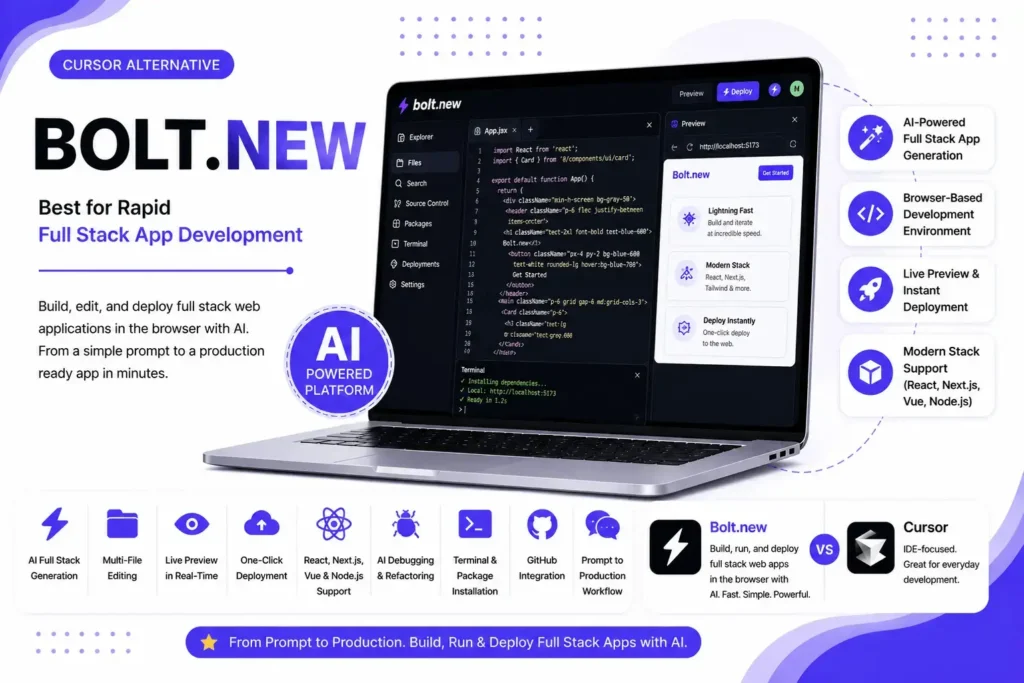
Bolt.new is an AI powered full stack development platform developed by StackBlitz that enables developers to build, edit, and deploy complete web applications using natural language prompts. Unlike traditional AI coding assistants that primarily help write code inside an IDE, Bolt.new provides an integrated browser based development environment where AI can generate, modify, run, and preview applications in real time.
One of Bolt.new’s biggest strengths is its seamless integration with modern JavaScript frameworks such as React, Next.js, Vue, Angular, Node.js, and Tailwind CSS. Developers can generate entire projects, install dependencies, edit multiple files, debug applications, and deploy them without leaving the browser. While it isn’t designed to replace professional AI IDEs like Claude Code or GitHub Copilot for large enterprise projects, Bolt.new excels at rapid prototyping, frontend development, and shipping production ready web applications in a fraction of the usual development time.
Best For
- Frontend developers
- Full stack web development
- Rapid MVP creation
- React and Next.js projects
- Startup founders
- Browser based development
Key Features
- AI powered full stack app generation
- Browser based development environment
- Multi file editing
- Live preview and instant deployment
- React, Next.js, Vue, and Node.js support
- AI debugging and code refactoring
- Package installation and terminal access
- GitHub integration
- Prompt to production workflow
Pricing
Bolt.new offers usage based plans designed for individual developers and teams.
| Plan | Price |
|---|---|
| Free | ✅ Available (limited AI credits) |
| Pro | Starts at $20/month |
| Teams | Custom |
| Enterprise | Custom |
Our Take: Bolt.new is competitively priced for developers who build web applications regularly. The free plan is suitable for testing and small projects, while the Pro plan provides enough AI credits for most professional workflows.
Pros
- Generates complete full stack applications from natural language prompts
- Excellent support for modern JavaScript frameworks
- No local development setup required
- Fast prototyping with live preview and deployment
- Intuitive browser based development experience
- AI can edit multiple files and manage project structure
- Ideal for startups, freelancers, and solo developers
Cons
- Primarily optimized for web application development
- Less suitable for large enterprise codebases
- AI usage is limited by monthly credits
- Fewer customization options than open source AI coding assistants
- Requires an internet connection for all development tasks
What Users Say
Bolt.new is highly regarded for its ability to transform ideas into fully functional web applications within minutes. Developers praise its seamless browser based workflow, fast project generation, and excellent support for modern frontend frameworks. Most users consider it one of the best AI tools for rapid prototyping and MVP development. However, for long term maintenance of large software projects, many developers still prefer dedicated AI coding assistants like Claude Code, GitHub Copilot, or Continue.dev, which offer deeper repository understanding and more advanced engineering workflows.
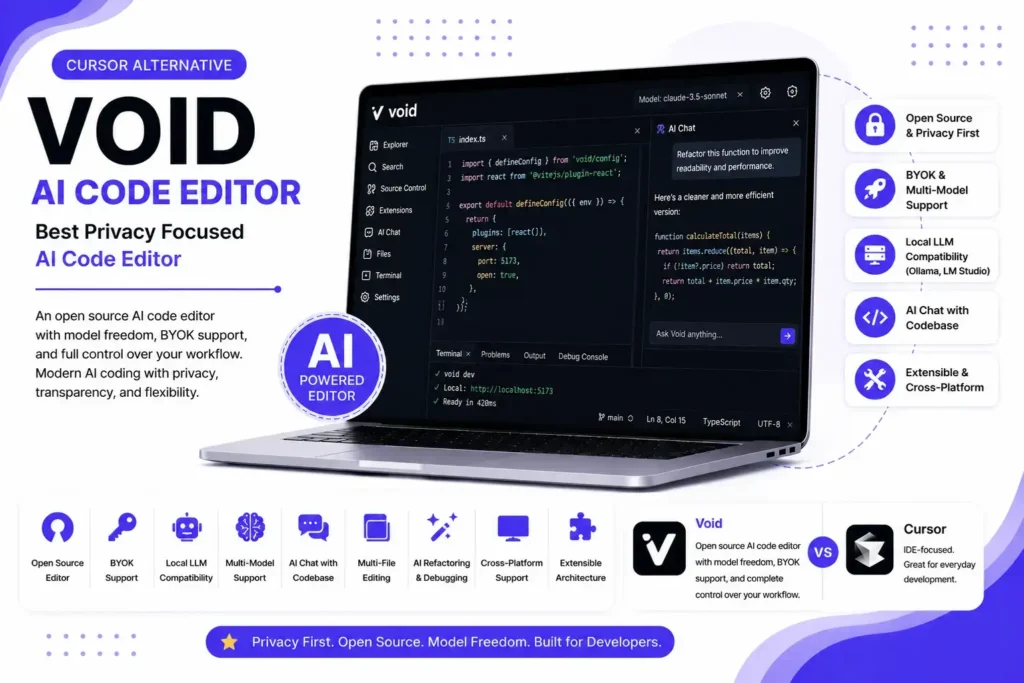
Void is Best Privacy Focused AI Code Editor
Overview
Void is an open source AI code editor built for developers who want the modern AI experience of Cursor without sacrificing transparency, privacy, or control. Rather than creating a closed ecosystem, Void emphasizes model freedom, allowing developers to connect their preferred AI providers or local models while maintaining ownership of their workflow.
Built on a familiar editor experience, Void supports intelligent code completion, AI chat, repository understanding, multi file editing, refactoring, debugging, and agent assisted development. It is particularly attractive to developers who dislike vendor lock in or want to use Bring Your Own API Key (BYOK) with providers like OpenAI, Anthropic, Google Gemini, DeepSeek, or locally hosted models through Ollama and LM Studio. While its ecosystem is still growing compared to commercial products, Void has quickly become one of the strongest open source Cursor alternatives for privacy conscious developers.
Best For
- Open source enthusiasts
- Privacy focused developers
- BYOK workflows
- Local AI model users
- Independent developers
- Teams avoiding vendor lock in
Key Features
- Open source AI code editor
- BYOK support
- Local LLM compatibility
- Multi model support
- AI chat with codebase
- Multi file editing
- AI refactoring and debugging
- Extensible architecture
- Cross platform support
Pricing
Void follows an open source model with flexible AI provider options.
| Plan | Price |
|---|---|
| Free | ✅ Completely free |
| Paid | None |
| API | Usage based (BYOK – pay only for the AI models you use) |
| Enterprise | Self hosted |
Our Take: Void is one of the best free Cursor alternatives for developers who value flexibility, transparency, and long term cost control. Since it supports BYOK, you only pay for the AI services you actually use.
Pros
- Fully open source with transparent development
- Supports BYOK and multiple AI providers
- Compatible with local AI models through Ollama and LM Studio
- Strong privacy with no mandatory vendor ecosystem
- Excellent flexibility for advanced developers
- Active community driven development
- Ideal for self hosted and customizable workflows
Cons
- Smaller community than GitHub Copilot or Claude Code
- Fewer enterprise management features
- Setup requires more technical knowledge
- Documentation is still evolving
- Some advanced AI capabilities depend on the connected model provider
What Users Say
Developers appreciate Void for putting control back into the hands of users. Many consider it one of the closest open source alternatives to Cursor because it combines modern AI coding features with complete freedom over AI providers and deployment options. Users frequently praise its privacy first philosophy and BYOK support, while noting that it has a steeper learning curve and a smaller ecosystem than more established commercial AI IDEs.
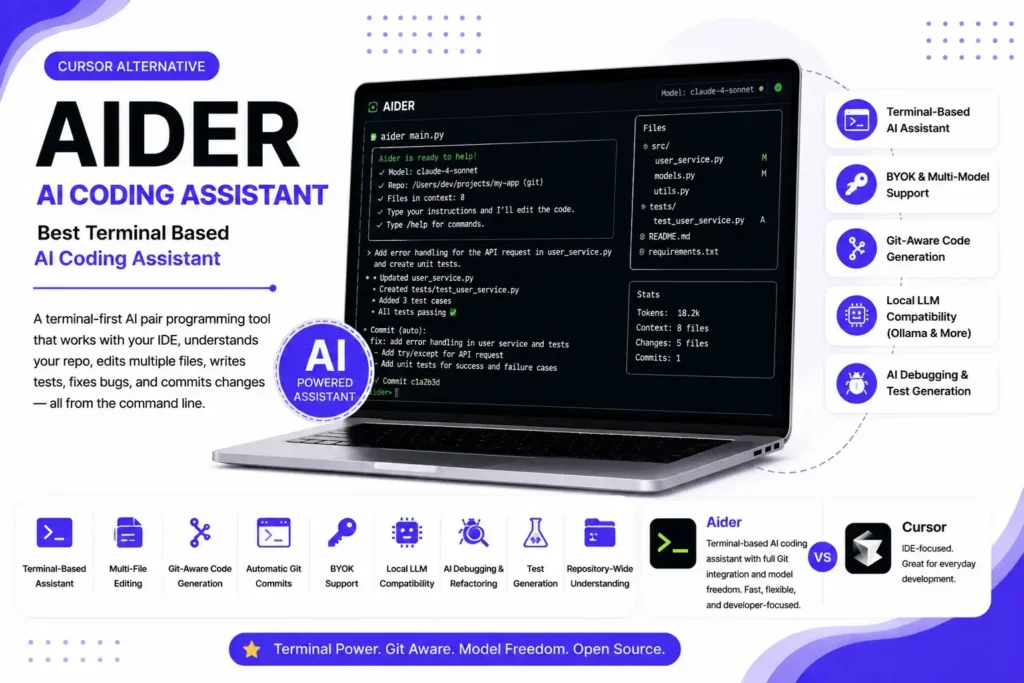
Aider is Best Terminal Based AI Coding Assistant
Overview
Aider is an open source AI pair programming tool that operates directly from the terminal, making it a favorite among experienced developers who prefer command line workflows. Instead of replacing your IDE, Aider integrates with your existing development environment and works alongside editors like Visual Studio Code, Neovim, and JetBrains IDEs.
One of Aider’s biggest strengths is its flexibility. It supports Bring Your Own API Key (BYOK), allowing developers to connect leading AI models such as OpenAI GPT-4.1, Anthropic Claude 4 Sonnet, Claude 4 Opus, Google Gemini 2.5 Pro, DeepSeek V3, and many local models through Ollama. It can understand entire Git repositories, modify multiple files simultaneously, generate tests, refactor code, fix bugs, and automatically create meaningful Git commits. For developers who value speed, transparency, and complete control over their AI workflow, Aider is one of the strongest Cursor alternatives available today.
Best For
- Terminal first developers
- Experienced software engineers
- Open source contributors
- Git based development
- BYOK workflows
- Local AI model users
Key Features
- Terminal based AI coding assistant
- Multi file editing
- Git aware code generation
- Automatic Git commit creation
- BYOK support
- Local LLM compatibility
- AI debugging and refactoring
- Test generation
- Repository wide code understanding
Pricing
Aider is completely open source and free to use.
| Plan | Price |
|---|---|
| Free | ✅ Free |
| Paid | None |
| API | Usage based (BYOK – pay only for the AI model you use) |
| Enterprise | Self hosted |
Our Take: Aider offers one of the most cost effective AI coding experiences available. Since there is no subscription fee, your only expense is the API usage of your preferred AI model, making it an excellent option for developers who want maximum flexibility and lower long term costs.
Pros
- Completely free and open source
- Supports nearly all major AI models through BYOK
- Excellent Git integration with automatic commit generation
- Strong multi file editing and repository understanding
- Works with local AI models using Ollama and similar tools
- Fits naturally into existing terminal based workflows
- Active open source community with frequent updates
Cons
- Command line interface has a learning curve for beginners
- No built in graphical IDE
- Requires configuring API keys before use
- User experience depends on the quality of the selected AI model
- Less beginner friendly than browser based AI coding platforms
What Users Say
Developers consistently praise Aider for its speed, Git integration, and model flexibility. Many experienced engineers consider it one of the best terminal based AI coding assistants because it allows them to stay within their existing workflow while leveraging state of the art AI models. Users also appreciate that there are no subscription fees or vendor restrictions. The most common criticism is that newcomers may find the command line interface less intuitive than graphical AI IDEs like GitHub Copilot, Claude Code, or Devin Desktop.
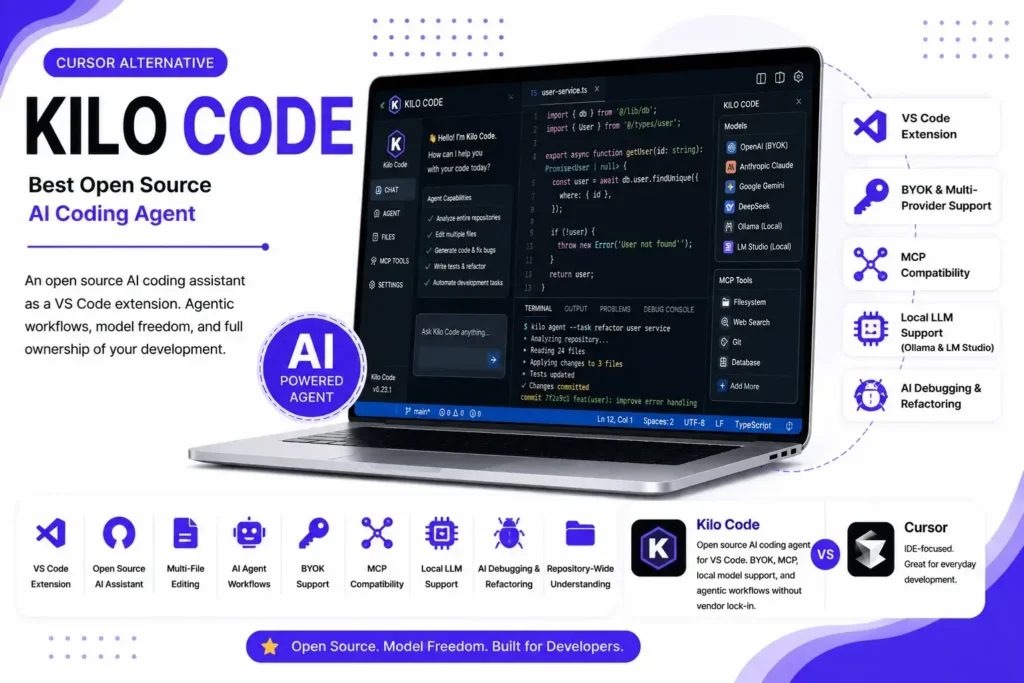
Kilo Code is Best Open Source AI Coding Agent
Overview
Kilo Code is an open source AI coding assistant built as a Visual Studio Code extension that focuses on agentic software development, model flexibility, and developer ownership. Unlike proprietary AI IDEs that require a dedicated editor or subscription, Kilo Code integrates directly into VS Code and supports Bring Your Own API Key (BYOK), giving developers the freedom to choose their preferred AI providers.
Kilo Code can analyze entire repositories, edit multiple files, generate code, fix bugs, explain complex logic, write tests, and automate repetitive development tasks. It also supports Model Context Protocol (MCP), making it easier to connect external tools and services. Combined with compatibility for local AI models through Ollama and LM Studio, Kilo Code is one of the strongest open source Cursor alternatives for developers who want enterprise grade AI features without vendor lock in.
Best For
- VS Code developers
- Open source enthusiasts
- BYOK workflows
- Local AI model users
- AI agent based development
- Developers seeking a free Cursor alternative
Key Features
- VS Code extension
- Open source AI coding assistant
- Multi file editing
- AI agent workflows
- BYOK support
- MCP compatibility
- Local LLM support
- AI debugging and refactoring
- Repository wide code understanding
Pricing
Kilo Code is completely open source and free to use.
| Plan | Price |
|---|---|
| Free | ✅ Free |
| Paid | None |
| API | Usage based (BYOK – pay only for the AI provider you connect) |
| Enterprise | Self hosted |
Our Take: Kilo Code is one of the most cost effective Cursor alternatives available. Since there are no subscription fees, developers only pay for the AI models they actually use, making it ideal for long term projects and enterprise environments.
Pros
- Completely free and open source
- Native integration with Visual Studio Code
- Supports multiple AI providers through BYOK
- Compatible with local models via Ollama and LM Studio
- MCP support for advanced AI workflows
- Strong repository awareness and multi file editing
- Active community driven development
Cons
- Available primarily for VS Code users
- Initial setup is more technical than commercial AI IDEs
- Some advanced capabilities depend on the connected AI model
- Smaller ecosystem compared to GitHub Copilot or Claude Code
- Documentation and integrations are still expanding
What Users Say
Developers praise Kilo Code for offering premium AI coding capabilities without locking users into a proprietary ecosystem. Many appreciate its support for BYOK, MCP, and local AI models, making it an excellent choice for developers who prioritize flexibility and privacy. Users also highlight its smooth VS Code integration and active open source community. The most common feedback is that beginners may need extra time to configure providers and optimize their workflow, but experienced developers often consider Kilo Code one of the best free and open source Cursor alternatives available in 2026.
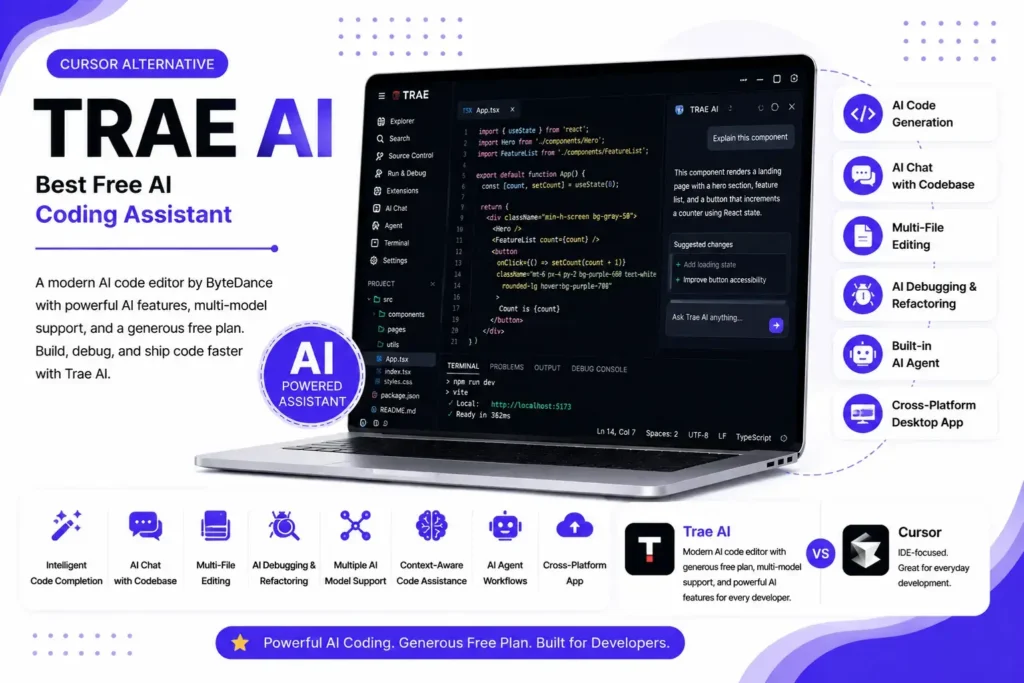
Trae AI is Best Free AI Coding Assistant
Overview
Trae AI is a modern AI powered code editor developed by ByteDance that aims to deliver a premium AI coding experience without the high subscription costs associated with many commercial AI IDEs. Built on a familiar editor interface, Trae AI combines intelligent code completion, AI chat, multi file editing, code generation, debugging, and agent based development into a single platform.
One of Trae AI’s biggest advantages is its generous free tier, making it particularly attractive to students, solo developers, and startups. It supports multiple leading AI models, allowing developers to generate code, explain complex logic, refactor projects, and work across large repositories with minimal friction. While its ecosystem is still maturing compared to established tools like Claude Code or GitHub Copilot, Trae AI has rapidly gained attention as one of the most promising free Cursor alternatives in 2026.
Best For
- Students and learners
- Budget conscious developers
- Solo developers
- Startup teams
- AI assisted coding
- Developers looking for a free Cursor alternative
Key Features
- AI code generation
- Intelligent code completion
- AI chat with codebase
- Multi file editing
- AI debugging and refactoring
- Multiple AI model support
- Context aware code assistance
- Built in AI agent workflows
- Cross platform desktop application
Pricing
Trae AI is one of the most affordable AI coding tools available.
| Plan | Price |
|---|---|
| Free | ✅ Available (generous AI usage limits) |
| Pro | Starts at $10/month (availability may vary by region) |
| Enterprise | Custom |
Our Take: Trae AI delivers outstanding value for developers who want advanced AI coding capabilities without paying premium subscription fees. Its free plan is among the most generous in the AI IDE market.
Pros
- Generous free plan for individual developers
- Clean and beginner friendly interface
- Strong AI code generation and debugging capabilities
- Supports multi file editing and repository understanding
- Lower subscription cost than many premium competitors
- Regular feature updates and active development
- Excellent option for startups and independent developers
Cons
- Smaller ecosystem than GitHub Copilot or Claude Code
- Fewer enterprise integrations
- Limited documentation compared to mature platforms
- Some advanced features are still evolving
- Availability of certain AI models and features may differ by region
What Users Say
Developers frequently recommend Trae AI as one of the best free alternatives to Cursor because of its generous AI usage limits and smooth developer experience. Users appreciate its responsive interface, capable AI assistant, and affordable pricing, especially for personal projects and startups. The most common criticism is that its ecosystem, extension support, and enterprise features are still developing, so larger engineering teams often prefer more established solutions like Claude Code, GitHub Copilot, or Continue.dev for mission critical development.
Best Cursor Alternatives by Use Case
There isn’t a single AI coding assistant that’s perfect for every developer. The best Cursor alternative depends on your workflow, preferred IDE, team size, programming language, privacy requirements, and budget. Some tools excel at autonomous coding, while others focus on enterprise collaboration, open source flexibility, or browser based development.
To help you choose faster, we’ve matched each use case with the tool that delivers the strongest overall experience.
Best Overall
Winner: Claude Code
If you want the most capable all around Cursor alternative in 2026, Claude Code stands out as the strongest choice.
Its biggest advantage is deep repository understanding and exceptional reasoning ability. It can analyze large codebases, perform complex refactoring, generate production quality code, debug difficult issues, and execute multi step development tasks with minimal supervision. Unlike traditional autocomplete tools, Claude Code behaves more like an experienced software engineer than a simple coding assistant.
It is especially well suited for professional developers working on medium to large software projects where code quality and long term maintainability matter more than basic code completion.
Best for:
- Professional software engineers
- Large production applications
- AI assisted software architecture
- Complex debugging
- Multi file development
Best Free Cursor Alternative
Winner: Trae AI
If your priority is minimizing costs without sacrificing AI powered development, Trae AI offers one of the best free experiences currently available.
Its generous free tier includes intelligent code completion, AI chat, debugging assistance, multi file editing, and project understanding. The interface is beginner friendly while still offering enough capability for experienced developers building real applications.
Although enterprise features remain limited compared to premium competitors, Trae AI provides excellent value for students, freelancers, hobbyists, and solo developers.
Best for:
- Students
- Personal projects
- Freelancers
- Budget conscious developers
Best Open Source Cursor Alternative
Winner: Continue.dev
Among all open source AI coding assistants, Continue.dev provides the best combination of flexibility, extensibility, and developer control.
Instead of locking developers into a single AI provider, Continue.dev supports multiple commercial and local language models through BYOK. It integrates directly with popular IDEs while allowing organizations to customize workflows, prompts, and AI providers according to their own requirements.
Its open architecture makes it one of the most future proof alternatives available today.
Best for:
- Open source contributors
- Engineering teams
- BYOK workflows
- Long term flexibility
- Self managed AI development
Best for VS Code Users
Winner: Cline
Developers who spend most of their day inside Visual Studio Code will likely find Cline to be the most natural replacement for Cursor.
Rather than introducing an entirely new editor, Cline extends VS Code with advanced AI capabilities including repository understanding, AI chat, autonomous coding, debugging, and multi file editing. Support for BYOK and local AI models gives developers much more flexibility than many commercial alternatives.
For developers who want to keep their existing VS Code workflow, Cline is an excellent choice.
Best for:
- VS Code developers
- AI pair programming
- Local AI models
- Custom AI workflows
Best for JetBrains Users
Winner: Continue.dev
JetBrains developers often struggle to find AI assistants that offer the same level of integration available in VS Code.
Continue.dev solves this by providing strong support for JetBrains IDEs such as IntelliJ IDEA and PyCharm while maintaining compatibility with multiple AI providers and local models.
For Java, Kotlin, enterprise backend development, and professional software engineering, Continue.dev currently offers one of the strongest JetBrains experiences.
Best for:
- IntelliJ IDEA
- PyCharm
- Enterprise Java
- Kotlin development
Best for Enterprise Teams
Winner: GitHub Copilot
Large organizations require more than intelligent code generation.
GitHub Copilot offers enterprise ready deployment with centralized administration, organization wide policies, identity management, security controls, governance features, and seamless GitHub integration.
Its mature ecosystem and strong enterprise support make it one of the safest choices for organizations adopting AI assisted software development at scale.
Best for:
- Enterprise organizations
- Large engineering teams
- Corporate development
- GitHub based workflows
Best for Large Codebases
Winner: Claude Code
Large repositories require exceptional reasoning and long context handling.
Claude Code consistently performs well when working across thousands of files, understanding project architecture, tracing dependencies, and performing repository wide modifications.
For enterprise applications, SaaS platforms, and monorepos, it remains one of the strongest AI coding assistants available.
Best for:
- Enterprise applications
- Monorepos
- Large software systems
- Architecture level development
Best for Startups
Winner: Bolt.new
Speed is critical for startups.
Bolt.new enables founders and developers to transform ideas into working applications rapidly using natural language prompts. With built in support for modern frameworks, live previews, and deployment, startups can launch MVPs much faster than traditional development workflows.
Its browser based environment also eliminates lengthy setup processes, allowing teams to focus on building products instead of configuring development environments.
Best for:
- SaaS startups
- MVP development
- Rapid product launches
- Small development teams
Best for Beginners
Winner: Replit
For new developers, simplicity matters as much as AI capability.
Replit combines an online IDE, AI assistant, hosting, collaboration, and deployment into one platform without requiring local installation.
Its intuitive interface makes learning programming much easier while giving beginners access to powerful AI coding assistance from day one.
Best for:
- Students
- Programming education
- Coding bootcamps
- First software projects
Best Browser Based AI IDE
Winner: Bolt.new
If you prefer developing entirely from a browser, Bolt.new offers one of the most complete cloud development experiences available.
Developers can generate applications, edit files, install packages, preview changes, and deploy projects without installing software locally.
Its fast development workflow makes it particularly attractive for remote teams, freelancers, and startup founders.
Best for:
- Cloud development
- Remote work
- Fast prototyping
- Web application development
Best Terminal First AI Coding Tool
Winner: Aider
Experienced developers who spend most of their time inside the terminal will appreciate Aider’s efficient workflow.
Instead of replacing your editor, Aider integrates with existing Git based development while supporting multiple AI providers, repository understanding, automatic commits, debugging, refactoring, and test generation.
Its lightweight design makes it especially popular among senior engineers and open source contributors.
Best for:
- Command line workflows
- Git based development
- Senior developers
- DevOps engineers
Best for Local AI Models
Winner: Continue.dev
Developers who prioritize privacy or offline development should consider Continue.dev.
It supports local inference through tools like Ollama and LM Studio, allowing organizations to run modern language models without sending proprietary code to cloud providers.
Combined with BYOK support and extensive customization, Continue.dev is one of the strongest choices for self managed AI development.
Best for:
- Local AI deployment
- Offline coding
- Enterprise privacy
- Self hosted infrastructure
Best for Privacy Focused Developers
Winner: Continue.dev
Privacy conscious developers need complete control over where their code is processed.
Continue.dev offers transparent open source development, flexible deployment options, BYOK support, local AI compatibility, and the ability to keep sensitive code within internal infrastructure.
For organizations operating in finance, healthcare, government, or other regulated industries, it provides a much stronger privacy foundation than many cloud first AI coding assistants.
Best for:
- Privacy first organizations
- Regulated industries
- Self hosted environments
- Secure software development
Cursor Alternatives That Support MCP
Modern AI coding assistants are becoming more powerful because they can access information beyond your code editor through Model Context Protocol (MCP). This open standard enables AI tools to securely connect with Git repositories, databases, documentation, APIs, file systems, and other development resources, resulting in more accurate code generation and smarter automation. Among the leading Cursor alternatives, Claude Code, Continue.dev, Cline, Kilo Code, and Devin Desktop offer MCP support, while GitHub Copilot, Zed, and Replit currently provide limited or evolving compatibility. If you’re looking for a future proof AI coding assistant, choosing a tool with strong MCP support will help you build more intelligent, connected, and scalable development workflows.
Cursor Alternatives with BYOK Support
Bring Your Own API Key (BYOK) has become one of the most sought after features in modern AI coding assistants because it gives developers complete control over the AI models they use and how much they spend. Instead of paying for a bundled AI subscription, BYOK allows you to connect your own API keys from providers like OpenAI, Anthropic, Google Gemini, DeepSeek, and even local models through Ollama or LM Studio. Leading Cursor alternatives such as Continue.dev, Cline, Aider, Void, and Kilo Code offer full BYOK support, while tools like GitHub Copilot, Claude Code, Devin Desktop, and Replit rely primarily on their managed AI services. If flexibility, lower costs, multi-model access, and avoiding vendor lock in are important to your workflow, choosing a Cursor alternative with strong BYOK support is one of the smartest long term decisions you can make.
Cursor Alternatives That Support Local AI Models
Local AI model support is becoming a key feature for developers who prioritize privacy, offline development, and complete control over their coding environment. Instead of sending source code to cloud based AI services, these tools can run powerful open source models locally using platforms like Ollama and LM Studio. Leading Cursor alternatives such as Continue.dev, Cline, Aider, Void, and Kilo Code offer excellent support for local AI models, allowing developers to use models like DeepSeek Coder, Qwen Coder, Llama 3, Code Llama, and Mistral directly on their own machines. If data security, lower long term costs, and offline AI coding are priorities, choosing a Cursor alternative with robust local LLM support is one of the best long term investments for modern software development.
How to Choose the Right Cursor Alternative
Choosing the right Cursor alternative isn’t about picking the tool with the most features. The best choice depends on your workflow, team size, coding environment, budget, and the type of projects you build. Some developers prioritize AI coding accuracy, while others need enterprise security, open source flexibility, local AI support, or seamless IDE integration. The following recommendations will help you quickly identify which AI coding assistant best matches your development needs.
By Team Size
The size of your team plays an important role in selecting an AI coding assistant. Solo developers often benefit from flexible and affordable tools like Continue.dev or Claude Code, while startups may prefer collaborative platforms such as GitHub Copilot or Devin Desktop. Enterprise teams should prioritize solutions that offer centralized management, security controls, compliance, and scalable deployment.
By Codebase Size
If you mainly work on personal projects or small applications, almost any modern AI coding assistant will perform well. For medium and large repositories, however, choose tools with strong repository awareness, long context windows, and reliable multi file editing. Claude Code, Continue.dev, Cline, and GitHub Copilot are particularly well suited for handling complex, large scale codebases.
By Budget
Your budget can significantly narrow your options. Developers looking for free or low cost solutions should consider Continue.dev, Cline, Aider, or Trae AI. If you don’t mind paying for premium features, Claude Code, GitHub Copilot, and Devin Desktop provide excellent managed experiences. BYOK compatible tools are also a great choice for reducing long term AI costs.
By Deployment Type
Consider where your AI coding assistant will run. Cloud based tools offer convenience and minimal setup, while self hosted and local AI solutions provide greater privacy and control. If your organization has strict security requirements, choose tools that support self hosting, local language models, or private deployments such as Continue.dev, Void, Cline, or Aider.
By Programming Language
Most Cursor alternatives support popular programming languages, but some perform better in specific ecosystems. Claude Code excels across Python, Go, and backend development, while GitHub Copilot provides excellent support for JavaScript, TypeScript, Java, and C#. Continue.dev and Cline are strong all around choices for developers working across multiple languages and frameworks.
By IDE Preference
Your preferred development environment should also influence your decision. Cline is an excellent choice for Visual Studio Code users, while Continue.dev works seamlessly with both VS Code and JetBrains IDEs. GitHub Copilot supports a wide range of editors, Aider is ideal for terminal based workflows, and Replit is perfect if you prefer a browser based development environment.
Quick Decision Checklist
Use this checklist to quickly narrow down the best Cursor alternative for your needs:
- Choose Claude Code if you want the best overall AI coding performance.
- Choose Continue.dev for open source flexibility, BYOK, and local AI support.
- Choose GitHub Copilot for enterprise collaboration and Microsoft ecosystem integration.
- Choose Cline if you primarily use Visual Studio Code.
- Choose Aider if you prefer terminal based development.
- Choose Replit for browser based coding and beginners.
- Choose Void if privacy and self hosted AI are your top priorities.
- Choose Trae AI if you’re looking for a capable free or budget friendly AI coding assistant.
By evaluating these factors before switching, you can choose a Cursor alternative that fits your current workflow while remaining flexible enough to support future AI powered development.
Before permanently replacing Cursor, spend time working on a real project with your new setup. Test AI code generation, debugging, refactoring, multi file editing, extension compatibility, Git workflows, local models, and MCP integrations. Making small adjustments during this testing phase will help you build a workflow that feels just as productive, if not better, than your previous Cursor environment.
How to Migrate from Cursor
Migrating from Cursor to another AI coding assistant is easier than many developers expect. Since many alternatives are built on or integrate with Visual Studio Code, you can often keep your existing workflow with only minor adjustments. The key is to migrate your settings, extensions, AI configuration, and project rules without interrupting your productivity. Whether you’re switching to Claude Code, Continue.dev, GitHub Copilot, Cline, or another alternative, following a structured migration process will help you get up and running quickly while preserving your preferred development experience.
Audit Your Current Workflow
Before switching, identify the features you use most in Cursor. Consider your preferred AI models, coding languages, extensions, keyboard shortcuts, project rules, and development workflow. Understanding what you rely on daily makes it much easier to choose an alternative that offers similar or better functionality.
Export Cursor Settings
Back up your Cursor configuration before making any changes. Export important settings such as editor preferences, themes, snippets, workspace configurations, and user profiles. Keeping a backup ensures you can quickly restore your setup or replicate it in your new editor if needed.
Transfer Keybindings
Custom keyboard shortcuts play a major role in developer productivity. Export or copy your keybindings and import them into your new editor whenever possible. Most VS Code based alternatives support similar shortcut configurations, making the transition much smoother.
Move .cursorrules
If your projects use a .cursorrules file, don’t forget to migrate it. These rules often define coding standards, response behavior, naming conventions, formatting preferences, and project specific instructions that help AI generate more consistent and accurate code.
Import Extensions
Review the extensions you regularly use and install their equivalents in your new environment. Essential tools such as Git integration, Docker, Prettier, ESLint, language packs, database clients, and debugging extensions are usually available across most modern AI code editors and IDEs.
Choose Your Primary AI Agent
After migration, decide which AI model or coding agent will power your workflow. Whether you prefer Claude, GPT, Gemini, DeepSeek, or another model, selecting the right AI based on your coding style and project requirements can significantly improve productivity and code quality.
Configure Local Models
If your new editor supports local AI, configure platforms like Ollama or LM Studio to run coding models directly on your machine. Local models improve privacy, enable offline development, reduce cloud dependency, and give you greater control over your development environment.
Configure MCP
If your chosen Cursor alternative supports Model Context Protocol (MCP), connect the tools and services you use most, such as Git repositories, documentation, databases, APIs, terminals, or issue trackers. Proper MCP configuration allows your AI assistant to access richer project context and automate more complex development tasks.
Test Your New Workflow
Before permanently replacing Cursor, spend time working on a real project with your new setup. Test AI code generation, debugging, refactoring, multi file editing, extension compatibility, Git workflows, local models, and MCP integrations. Making small adjustments during this testing phase will help you build a workflow that feels just as productive, if not better, than your previous Cursor environment.
How We Evaluated These Cursor Alternatives
With dozens of AI coding assistants available today, choosing the right Cursor alternative requires more than comparing feature lists or marketing claims. To create this guide, we evaluated each tool using a consistent methodology based on real development workflows, industry benchmarks, official documentation, pricing, and hands on testing. Rather than focusing on a single metric, we considered how each tool performs in everyday software development, from writing and refactoring code to debugging, AI agent capabilities, privacy, and long term value. Our goal was to identify the tools that genuinely improve developer productivity across different use cases.
Our Testing Methodology
Every Cursor alternative was assessed using the same evaluation process to ensure fair and consistent comparisons. We explored each tool’s installation experience, supported IDEs, AI model integrations, coding capabilities, pricing, documentation quality, and unique features. We also considered real world developer feedback, benchmark results, release notes, and enterprise readiness. Instead of ranking tools solely on raw AI performance, we evaluated how effectively they fit into modern software development workflows.
Real Projects Used for Testing
To better understand each tool’s practical strengths and limitations, we evaluated them across a variety of common development scenarios rather than relying only on synthetic benchmarks. These included building REST APIs, creating React and Next.js applications, debugging existing code, refactoring large projects, writing unit tests, generating documentation, reviewing pull requests, working with Git repositories, and handling multi file changes. This approach helped us assess how each AI assistant performs in everyday development environments.
Benchmarks Used (SWE-bench, HumanEval & Real World Testing)
Benchmark scores provide valuable insight into an AI model’s coding ability, but they don’t tell the complete story. We considered publicly available results from benchmarks such as SWE-bench, SWE-bench Verified, HumanEval, HumanEval+, MBPP, and other coding evaluations alongside our own practical testing. While benchmark performance influenced our rankings, factors like usability, workflow integration, context handling, and developer experience carried equal importance because they have a greater impact on day to day productivity.
Evaluation Criteria
Each Cursor alternative was evaluated across the following key areas.
AI Coding Accuracy
We measured how accurately each tool generated code, fixed bugs, explained complex logic, completed partial implementations, and followed coding instructions. Tools that consistently produced clean, maintainable, and production ready code received higher scores.
Agentic Coding Capabilities
Modern AI coding assistants are evolving beyond autocomplete into autonomous coding agents. We evaluated each tool’s ability to plan tasks, edit multiple files, execute terminal commands, perform debugging, generate tests, and automate repetitive development workflows.
Context Window & Multi File Editing
Large context windows and repository awareness are essential for understanding complex applications. We assessed how effectively each tool handled multiple files, project wide refactoring, dependency relationships, and long conversations without losing important context.
Performance on Large Codebases
Developers working with enterprise applications or monorepositories need AI tools that can navigate thousands of files efficiently. We considered each assistant’s ability to understand project architecture, maintain consistency across files, and generate reliable code within large repositories.
Speed & Responsiveness
Fast responses improve developer productivity. We evaluated startup time, code generation speed, response latency, editing performance, and overall interface responsiveness during common development tasks.
MCP Support
Model Context Protocol (MCP) is becoming an important standard for AI powered development. We examined whether each tool supports MCP, how easily it connects to external resources such as Git repositories, documentation, APIs, databases, and development tools, and how effectively it uses that context during coding.
BYOK Support
Bring Your Own API Key (BYOK) provides greater flexibility and reduces vendor lock in. We assessed whether developers could connect their own API keys from providers such as OpenAI, Anthropic, Google Gemini, and other supported services, along with the ease of configuration and supported models.
Local LLM Compatibility
Running AI models locally is increasingly important for privacy, offline development, and cost savings. We evaluated compatibility with platforms like Ollama and LM Studio, along with support for popular open source coding models such as DeepSeek, Qwen, Llama, and Mistral.
Privacy & Security
We reviewed how each platform handles source code, telemetry, authentication, data routing, enterprise controls, and self hosted deployment options. Tools offering strong privacy features, local processing, or enterprise compliance received higher ratings.
Pricing & Value
Cost is an important factor for both individuals and organizations. We compared free plans, subscription pricing, enterprise licensing, usage based billing, BYOK compatibility, and overall value relative to the features offered.
Overall Developer Experience
Finally, we evaluated the complete user experience, including ease of setup, documentation quality, interface design, learning curve, extension ecosystem, workflow efficiency, reliability, and how well each tool integrates into a professional development environment. The highest ranked Cursor alternatives were those that combined strong AI capabilities with an intuitive and productive developer experience.
Frequently Asked Questions
Conclusion
Choosing the best Cursor alternative ultimately comes down to your workflow, development environment, and priorities. If you want the most capable AI coding assistant overall, Claude Code stands out with its exceptional reasoning and coding performance. For developers who value flexibility, Continue.dev is the best open source option with BYOK, MCP, and local AI support. GitHub Copilot remains the top choice for enterprise teams, while Cline, Replit, Void, and Aider excel in their respective use cases.
As AI coding tools continue to evolve, features like AI agents, MCP, BYOK, and local language models are becoming increasingly important. By choosing a solution that aligns with your current needs while supporting future AI workflows, you’ll be better equipped to build software faster, smarter, and with greater confidence.
Don’t Miss These, Explore More Topics